
What happened in October 2026
Security researchers nicknamed the two flaws PHP2Shell. Both are rated 9.2 out of 10 for severity, which is about as serious as these ratings get. In the worst case they let an attacker run their own code on a web server without needing to log in first.
PHP fixed them in versions 8.5.12, 8.4.27, 8.3.36 and 8.2.35. The detail that matters for small businesses is what's missing from that list. PHP 8.1 and anything older no longer gets official fixes, so a site on one of those versions has to move to a newer one before it's protected.
Within a day of the fix going out, security firms were reporting attempts to exploit the flaws. That's normal now. Once a patch is public, attackers compare it with the old code to work out what was broken, then go looking for servers nobody has updated yet.
What PHP actually is
PHP is a programming language that runs on your web server. When someone visits a page, PHP puts that page together on the spot, usually by pulling text and images out of a database, and sends the finished result to their browser.
Your customers never see it. They just see the page. That's why so many business owners have never heard of PHP, even when their whole site depends on it.
It first appeared in 1995 and it's still everywhere. WordPress is written in it, as are Joomla and Drupal, along with a lot of the shop and booking systems small businesses rely on.
Why old versions are the real problem
Each version of PHP gets security fixes for a fixed period, then support stops. PHP 8.1 reached that point at the end of 2025, and PHP 8.2 follows on 31 December 2026. After that date, any new hole found in a version stays open for good.
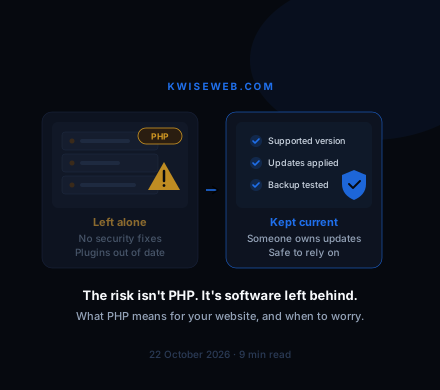
The October flaws weren't really a story about PHP being badly made. For a site on a supported version, the fix was a routine update, often applied by the host without the owner noticing. The sites left exposed were the ones still running versions that had already been retired.
That happens more than you'd think, because websites tend to get built and then left alone. A site that went live in 2019 may still be on the PHP version it launched with, alongside an old copy of WordPress and plugins nobody has touched in years. Those are exactly the sites attackers go looking for.
How to tell whether your website uses PHP
If your site runs on WordPress, it uses PHP. So do most sites with a login area where you edit the pages yourself. A quick test is to add /wp-admin to the end of your web address. If a WordPress login screen appears, you have your answer.
Page addresses ending in .php, such as yoursite.co.uk/contact.php, give it away too. So does a hosting control panel like cPanel or Plesk with a setting for choosing a PHP version.
Plenty of sites don't use it at all. Builders such as Wix and Squarespace look after the technology for you, so the version isn't your problem. Static sites are built once and served as finished files, which means no code runs on the server when someone visits.
If you're still not sure, ask whoever built or hosts the site. It's a one-line question and they should be able to answer it straight away.
How to check which version you're on
On WordPress, open the admin area and go to Tools, then Site Health. If your PHP version is out of date, WordPress will usually flag it there, and the Info tab shows the exact number under Server.
On most shared hosting, the control panel shows the PHP version and often lets you change it. Look for something called 'Select PHP Version' or 'PHP Settings'.
Then check the number against the supported versions page on php.net. As of October 2026, anything starting with 7 or 8.0 or 8.1 is out of support. Version 8.2 is covered until the end of 2026, so if that's what you have, now is a good time to plan the move.
Questions to ask your developer or host
You don't need to understand the technical side to find out whether your site is being looked after. Four questions to whoever built or hosts it will tell you most of what you need to know.
Start with which PHP version the site runs on and whether it still gets security updates. Then ask when WordPress, the theme and the plugins were last updated, and whose job it is to keep doing that.
After that, ask whether any of the plugins have been abandoned by the people who made them. Finally, ask whether there's a recent backup of the whole site, and whether anyone has ever tried restoring it.
If any answer comes back as 'I'm not sure' or 'nobody', that's the gap to close first.
When an update is enough
If the site is in reasonable shape and someone is looking after it, an update usually sorts it. That means moving to a supported PHP version, updating WordPress, the theme and the plugins, and then checking nothing broke.
Take a backup first. If your host offers a staging copy of the site, try the update there before touching the live one. Older themes and plugins sometimes stop working on a newer PHP version, and it's much better to find that out where your customers can't see it.
After that it's about keeping up. Most hosts can apply small updates automatically, and ten minutes a month in the WordPress dashboard goes a long way.
When it's time to think about a rebuild
Sometimes the update is the hard part. If the site was built on a theme or plugin that has since been abandoned, moving to a supported PHP version can break it, and the repair can cost more than starting again.
There are other warning signs. The person who built the site has vanished, nobody can find the logins, or you're paying for a care plan that never seems to involve any care. Any one of those is worth taking seriously.
We should be upfront that we have a view here. For a lot of small businesses and trades, the website is a handful of pages that change a few times a year, and that kind of site doesn't need code running on the server every time someone visits. Most of the sites we build are static for that reason. When the October news broke, there was no PHP on them to patch.
WordPress is still the right choice for plenty of businesses, especially ones that publish often or sell online. And if you do rebuild, you don't have to lose what already works. Keep the page addresses that bring in visits, or redirect them properly, and Google will carry your rankings across.
If your site is stuck on old software and you'd rather start again, our website redesign service moves you onto a simpler build and protects the pages that already bring in work.